HomeAI SearchAbout MeContact

Dropbox slow culprit node_modules, So delete if not required

By Sumith Parambat DamodaranPublished in TechnologyMay 13, 20201 min read
Dropbox slow culprit node_modules, So delete if not required

Sharing some files with a colleague noticed desktop app performance was slow and was not syncing.


ℹ ️Found out that the performance of the Dropbox desktop app can decline if you have more than 300,000 files synced to your computer. Where are these file coming from.

The easiest and quickest solution was another node module 😂

https://www.npmjs.com/package/rimraf

Install RimRaf:

npm install rimraf -g

And in the project folder delete the node_modules folder with:

rimraf node_modules

If you want to recursively delete:

rimraf .\**\node_modules

Other solution I liked was to use powershell, be careful before running this script , hence my comment for remove-item

Get-ChildItem -Path "." -Include "node_modules" -Recurse -Directory | Select-Object FullName
#  | Remove-Item -Recurse -Force
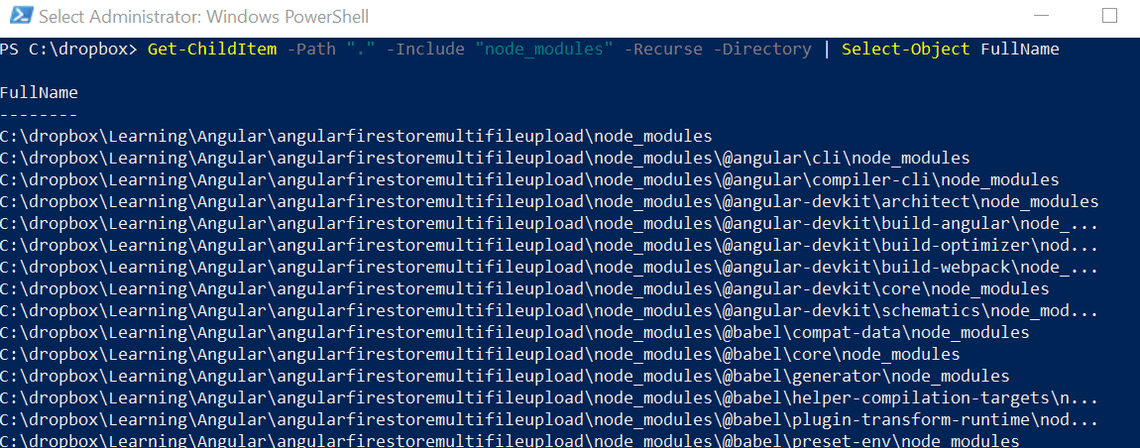
Remove node modules windows

Tags

PowerShellnode_modules
Previous ArticleSplitting User Stories
Next ArticleMarkdown Language
Sumith Parambat Damodaran

Sumith Parambat Damodaran

Product Manager

Topics

General
Product Management
Technology

Related Posts

New Machine installation - Powershell and Chocolatey
April 16, 2019 2 min
Note to myself - Powershell Path and version script
Sumith Parambat Damodaran
December 06, 2017 1 min

Quick Links

AI search field guideAbout MeContact

Social Media